Secure remote ops for edge devices — without SSH
EdgeProtocol is a secure control plane for infrastructure operations: run commands, manage systems, and debug production with approvals and audit trails — no SSH required. Built for energy, manufacturing, and industrial edge teams everywhere.
 Linux
Linux Windows
 macOS
macOS
Interactive preview — mixed-OS fleet, device map & terminal, patches, software, rules, automation, and whiteboard.
Works with your existing stack






The problem
Managing infrastructure is messy, risky, and outdated
When something breaks in production, teams scramble — because the tools weren't built for how teams actually work.
Teams still rely on
- Shared SSH keys
- VPN access to production systems
- Tribal knowledge of who runs what
- Manual commands with no approval flow
This leads to
- Security risks — uncontrolled access, exposed ports, no accountability
- Operational bottlenecks — senior engineers become gatekeepers
- Zero visibility — no record of who changed what, when, or why
The solution
What does EdgeProtocol replace SSH with?
A secure control plane for infrastructure operations. Instead of logging into machines, you interact with them through a controlled, auditable system.
- Agents run on your machines — VMs, servers, and edge devices
- Outbound-only connections — no open ports, no VPNs
- Execute commands, manage files, and debug systems safely
- Every action is tracked, approved, and recorded
How it works
How does EdgeProtocol work?
From agent install to audited operations in four steps.
Install a lightweight outbound-only agent on each Mac, Windows, or Linux device, connect it to your control plane, run diagnostics and changes from the browser, and require human approval before anything risky — with every action written to an immutable audit trail.
Install the agent
Install the lightweight EdgeProtocol daemon on macOS, Windows, or Linux — laptops, servers, VMs, and edge devices such as a Raspberry Pi or Jetson.
Connect securely
The agent opens an outbound-only connection to your control plane. No inbound ports, VPN tunnels, or firewall changes are required.
Take action
From the dashboard, browse files, run diagnostics, stream logs, and deploy fixes without opening direct SSH access to production.
Stay in control
Sensitive actions require human approval and are written to an immutable audit trail with who, what, when, and why.
- Step 1: Install the agent. Install the lightweight EdgeProtocol daemon on macOS, Windows, or Linux — laptops, servers, VMs, and edge devices such as a Raspberry Pi or Jetson.
- Step 2: Connect securely. The agent opens an outbound-only connection to your control plane. No inbound ports, VPN tunnels, or firewall changes are required.
- Step 3: Take action. From the dashboard, browse files, run diagnostics, stream logs, and deploy fixes without opening direct SSH access to production.
- Step 4: Stay in control. Sensitive actions require human approval and are written to an immutable audit trail with who, what, when, and why.
Watt
How does Watt work?
Describe the problem in plain language. Watt investigates issues, runs safe commands, and pauses for approval before anything risky — with a full audit trail.
- Natural language — no need to remember command syntax
- Autonomous diagnosis across your enrolled devices
- Approval gates for restarts, installs, and config changes
- Every step logged for compliance and postmortems
Live terminal
Watch commands run in real time
When Watt executes diagnostics or fixes, output streams live into the session — the same terminal experience you'd get on the device, without opening SSH.
- Streaming stdout and stderr as commands execute
- Stop or interrupt long-running processes mid-flight
- Full session output captured in the audit log
- Explain any output block with one click
Audit trail
Every change recorded. Roll back with one click.
The audit log mirrors your production dashboard — filter by device, user, or action type, inspect unified diffs for file changes, and roll back to a previous version through the approval workflow.
- Immutable log of commands, file edits, and approvals
- Unified diffs for every config change
- One-click rollback creates an approval job
- Export for compliance and post-incident review
Key features
Everything you need to operate infrastructure safely
- No inbound ports
- No SSH exposure
- No shared credentials
- Role-based access control
- Approval workflows for sensitive actions
- Let junior engineers operate safely
- Every command recorded
- Who did it, when, and why
- Built for compliance and debugging
- Ask questions about your infrastructure
- Execute tasks with Watt
- Automate repetitive workflows safely
- macOS, Windows, and Linux
- Cloud, on-prem, Pi, and Jetson
- One agent — no inbound ports
Use cases
Built for teams operating at scale

- Manage Linux servers in the cloud and on-prem
- Replace ad-hoc SSH with structured operations
- Let teams collaborate safely on production systems

- Operate edge devices in oil, gas, and energy
- Support industrial and manufacturing sites
- Maintain visibility across remote field hardware
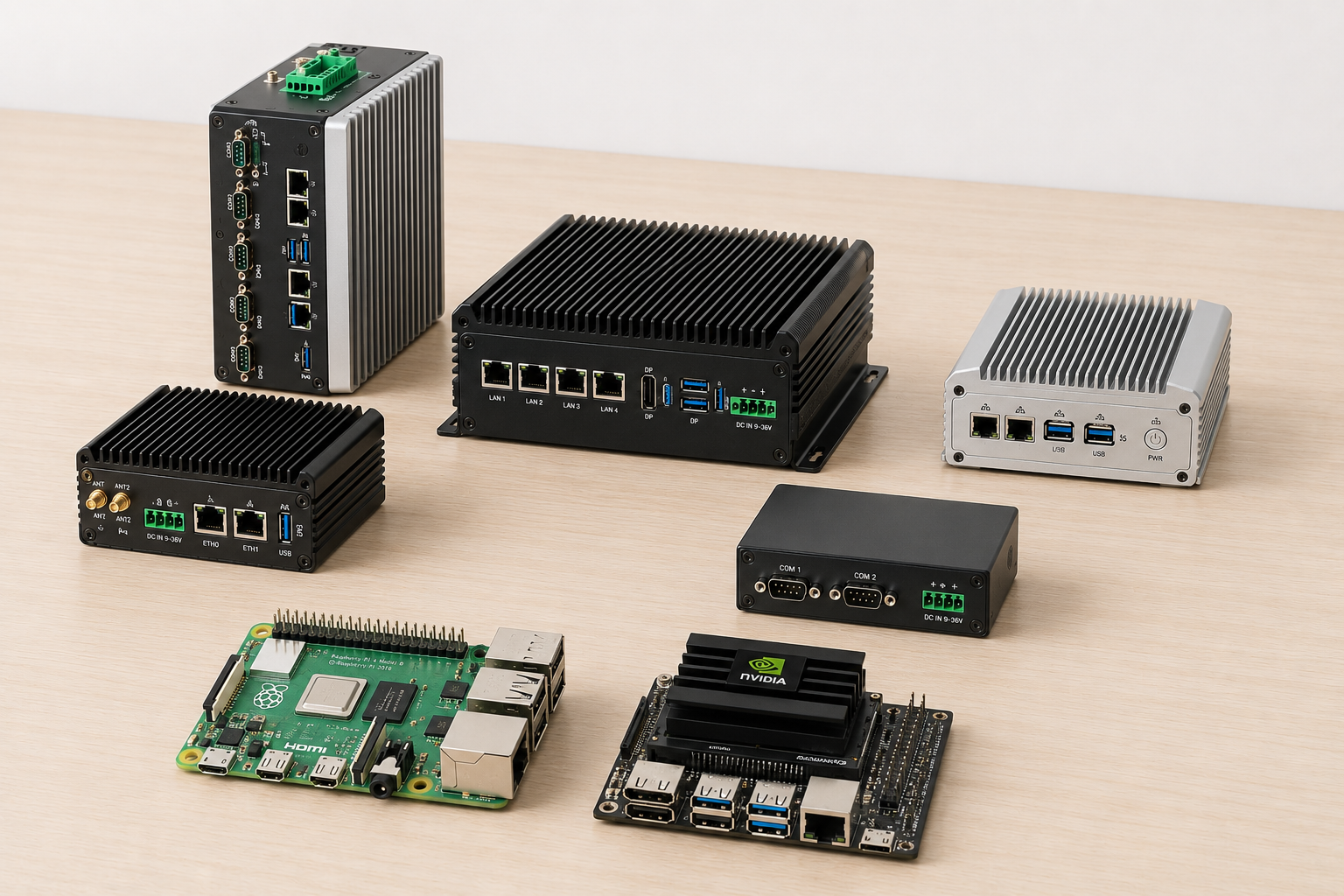
- Raspberry Pi, Jetson, and hobbyist boards
- Prototype and deploy without VPNs or exposed ports
- Debug and manage devices from anywhere
Why now
Why replace SSH with EdgeProtocol?
Infrastructure is more distributed, more critical, and more regulated — but interactive SSH was never designed for teams, approvals, or audit.
| Capability | SSH / VPN | EdgeProtocol |
|---|---|---|
| Network model | Inbound ports or broad VPN | Outbound-only agent |
| Approvals | Chat / tribal knowledge | Built-in multi-user workflows |
| Credentials | Shared keys common | RBAC — no shared SSH keys |
| Audit evidence | Optional shell history | Immutable log + file diffs |
| Watt | Outside the access path | In-flow with approval gates |
| Pricing signal | Bastion + VPN tooling sprawl | Free tier; Core from $199/mo |
EdgeProtocol at a glance
Specific, citeable product facts — not marketing fluff.
- Free plan devices
- Up to 3 devices and 2 users, no credit card
- Core plan
- $199/mo (or $159/mo annual) · up to 30 devices
- Audit retention
- 7 days Free · 1 year Core · 3 years Pro
- Architecture
- Outbound-only agents · Linux-first · Audit-ready
Prefer a deeper brief? Read Secure remote operations without SSH.
Pricing
Simple, flat pricing that scales with your team
Start free, upgrade when you need more. Paid plans are billed per organization — not per device. Save 20% with annual billing.
- Up to 3 devices, 2 users
- 3 templates & 1 chain
- 100 AI credits/month
- 7-day audit log retention
- Owner & Viewer roles
- Up to 30 devices, unlimited users
- 25 templates & unlimited chains
- Multi-user approvals & all 5 RBAC roles
- SMS alerts
- 500 AI credits/mo, then $0.10/credit
- 1-year audit log retention
- Up to 150 devices, unlimited users
- Everything in Core, plus:
- Scheduling & advanced workflows
- Slack & Teams alerting
- SOC2 / compliance export
- 2,500 AI credits/mo, then $0.10/credit
- 3-year audit log retention
- Unlimited devices, users & AI credits
- Everything in Pro, plus:
- Custom RBAC roles
- SSO / SAML
- Custom data retention
- Dedicated SLA support
Prices in USD. Annual plans are billed upfront. AI credit overage is billed at $0.10/credit on Core and Pro. Have a pilot code? Redeem it at sign-up for full Core access — no card required.
FAQ
Frequently asked questions
Common questions about EdgeProtocol, security, approvals, and the audit trail.
Still have questions? Get in touch or email edgeprotocol@edgedevice.online.
Vision
Infrastructure operations should be safe, collaborative, auditable, and automatable
We're building the control layer that makes that possible.
Built for teams managing